
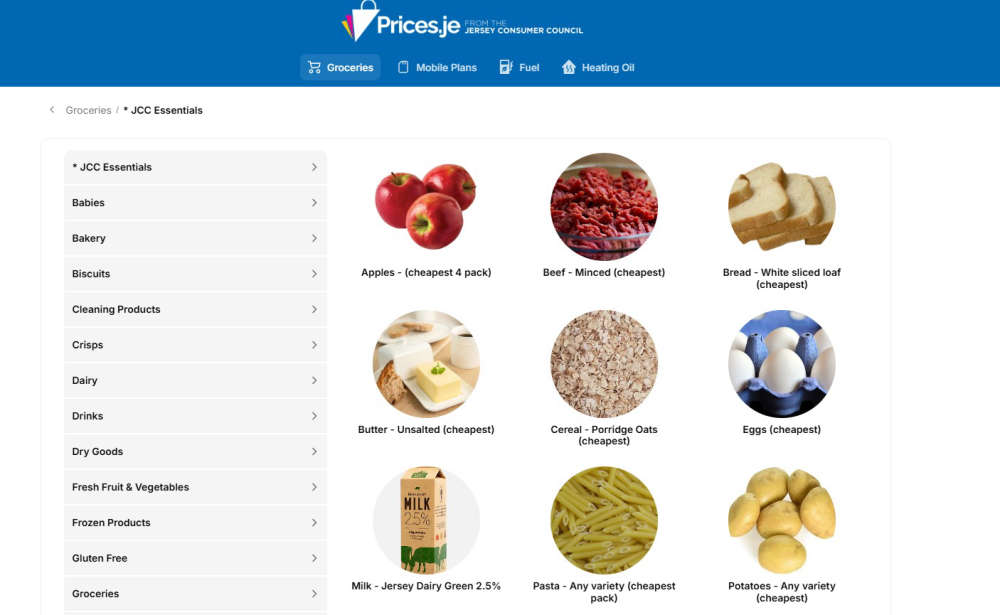
Have you visited our price comparison website lately? At the Jersey Consumer Council, we know it pays to shop around, so we run Prices.je to empower consumers in Jersey to compare prices before deciding where to spend their money.
The site includes weekly fuel and oil prices, fortnightly grocery prices from all the Island’s major supermarkets, mobile phone tariff comparisons, as well as themed seasonal price comparisons, such as at Christmas and Easter products.
Prices.je can help you make informed decisions on where to shop, with grocery categories featured ranging from bakery and dairy products, to tinned, dry and frozen goods, as well as gluten free and baby products.
Featuring the prices of almost 100 grocery products at six local supermarket chains, as well as the unleaded and diesel fuel prices for all 25 Jersey garages, Prices.je is your one-stop-shop for prices in Jersey.
As ever, our advice is to shop around for the best prices and to vote with your feet if you feel prices at one provider or store are too high.
Accessing Prices.je
- You can access our price comparison site via a link in the top bar of this website,
- You can also access it directly, by simply typing Prices.je into your browser (you must type it into your browser, rather than into a Google search window).
- If you’re accessing it on a smartphone or tablet, please follow the steps below.
To access Prices.je on your smartphone or tablet, it will work most effectively if you use it as a web app on your home screen.
Simply type Prices.je into an internet browser on your device, and you will see a message pop-up saying ‘Install Prices.je – Add this app to your home screen for easy access and a better experience’.
It will then prompt you to press the centre button below the browser (a square with an arrow pointing up out of it).
Tab the relevant button below the browser, then scroll down and select the option to ‘Add to Home Screen’.
A screen saying ‘Add to Home Screen’ will then appear. Click the ‘Add’ button and Prices.je will then appear on your device as an App, which you can move to the most suitable folder or screen.
 Shop smart this Easter: Compare before you buy
 Mobile phone bills: why it pays to compare before you commit
 Celebrate without overspending – it pays to shop around